
Create and Assign Roles in Zoho Desk
Here is our approach for creating and assigning roles in Zoho Desk in a simple way.
Even a non-technical person can easily configure it in just a few steps.

Approach
We can create and assign Roles in Zoho Desk by following these simple steps.
1. Creating a Role
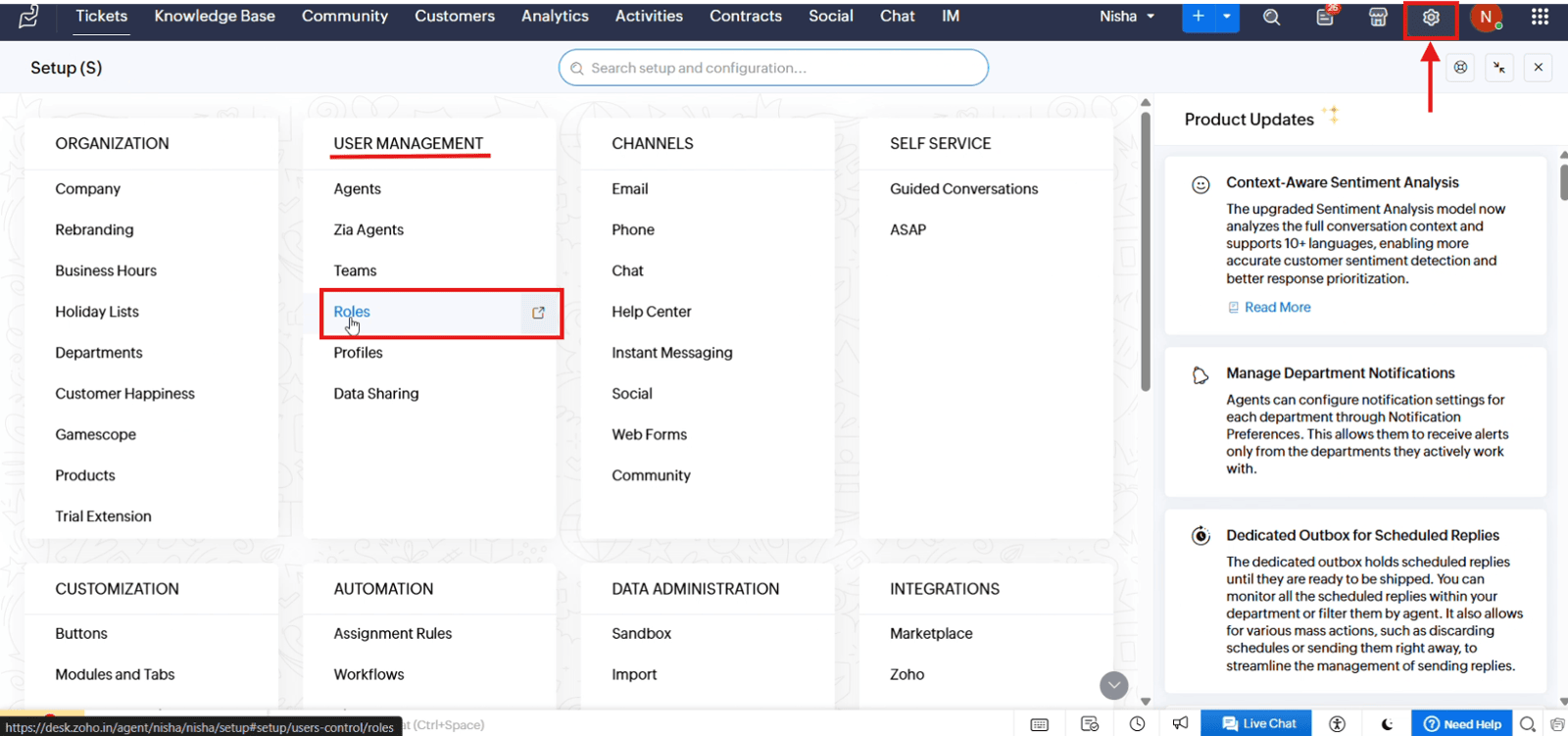
1.1 Open "Setup", navigate to "User Management" and select "Roles"
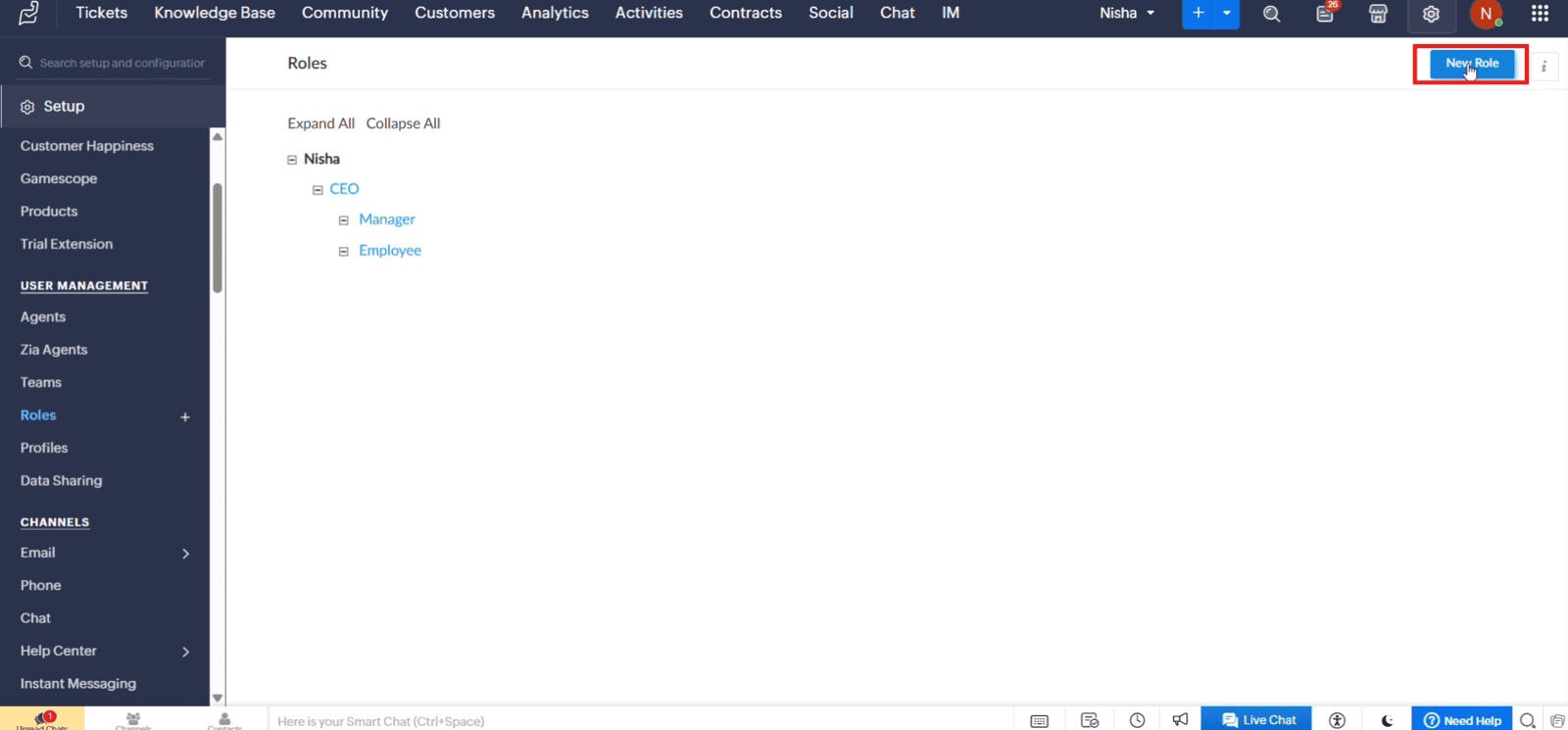
1.2 Click "New Role" to create a role
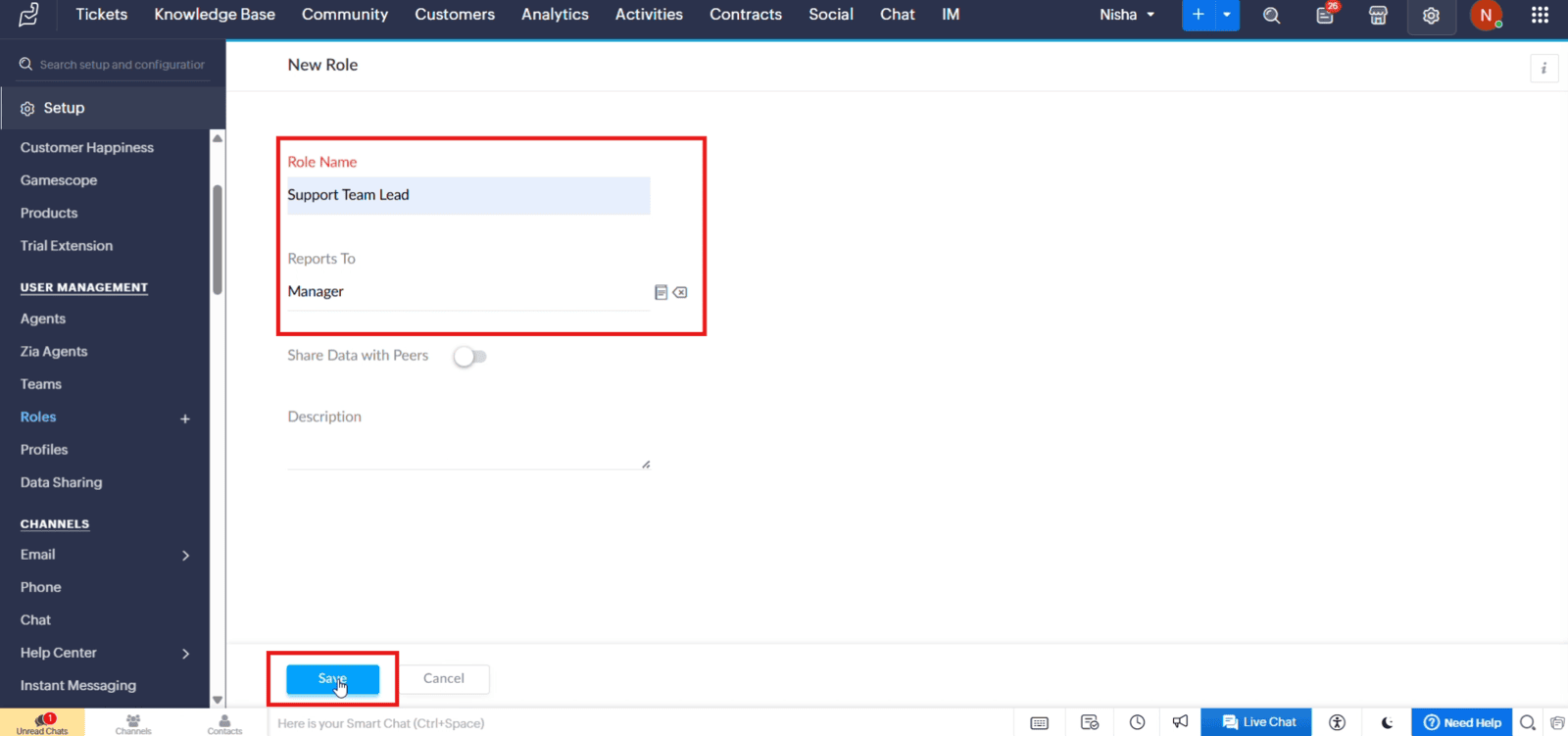
1.3 Enter the role name, select the parent role under "Reports To", and click "Save"
2. Assigning a Role to an Agent
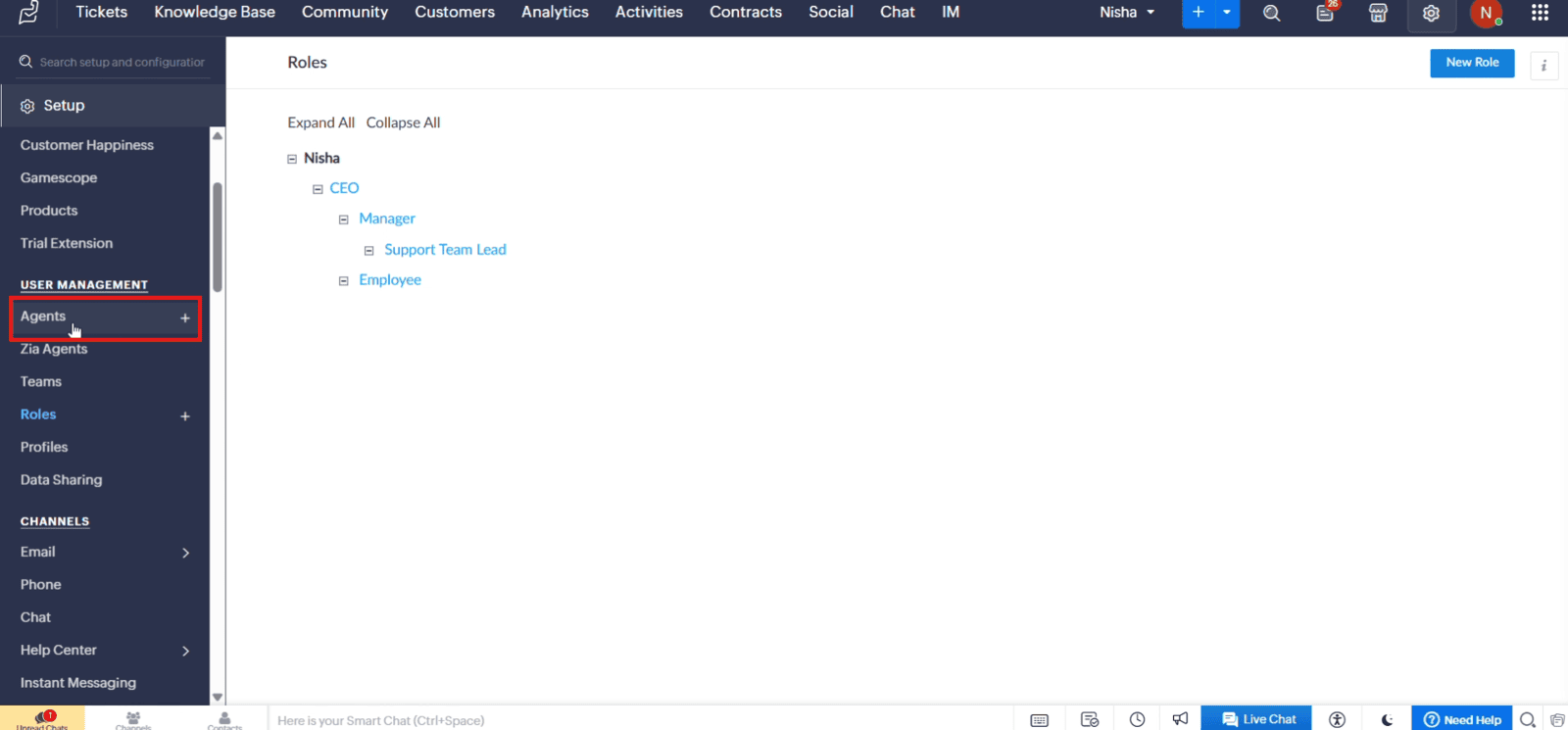
2.1 Under "User Management", click "Agents"
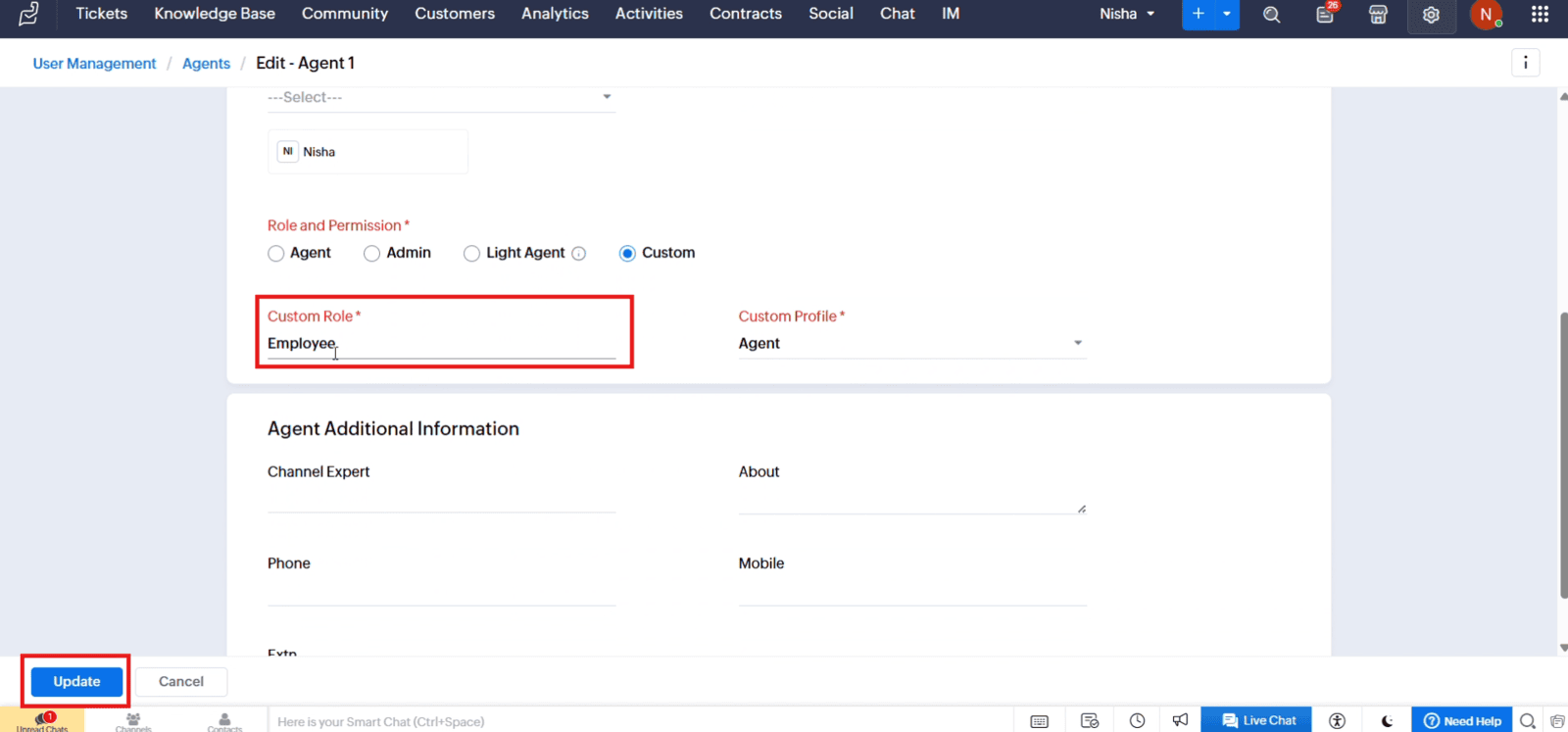
2.2 Open the agent, select "Custom" under "Role and Permission", choose the required "Custom Role", and click "Update"
Video: Create and Assign Roles in Zoho Desk
Here is the video explanation of the above steps.


